Every dollar, with the name of who paid.
Paste a Stripe or RevenueCat key. MRR, churn and revenue per customer show up next to your traffic, tied to the visitor who paid.
- 5 minutesfrom pasted key to first MRR
- Read onlythe Stripe key is restricted
- Any currencysummed in the project's currency
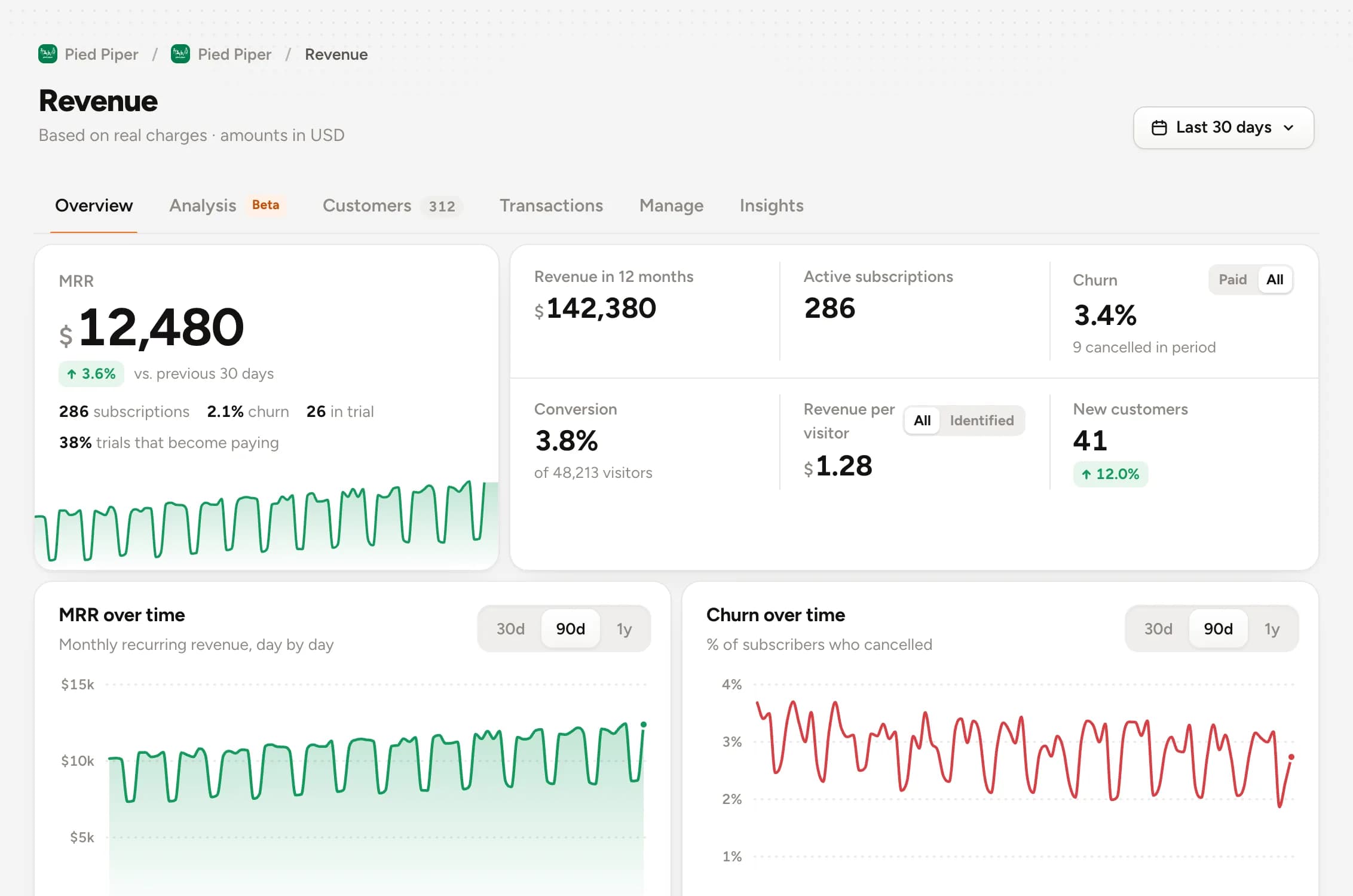
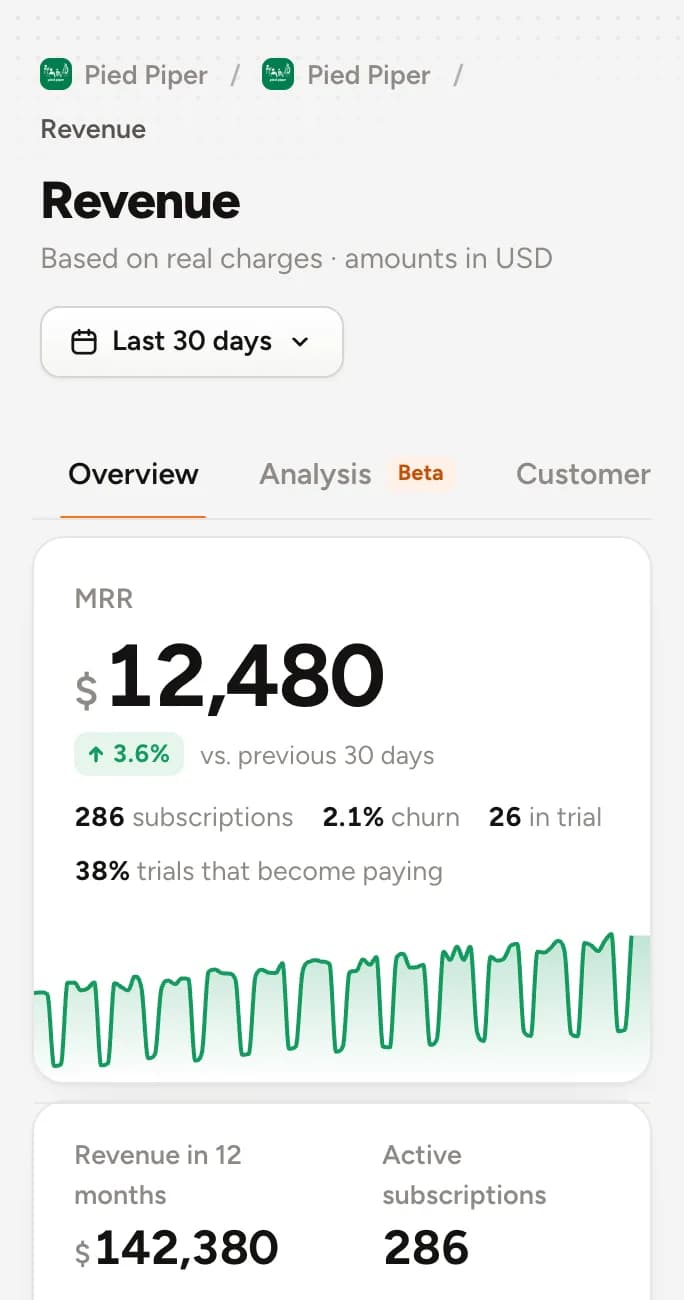
One person, from first click to first invoice
Revenue doesn't float alone on a chart. It has a face, a source and a path.
Ready in three steps.
- 1
Create a key
In Stripe, a restricted read-only key. In RevenueCat, the API key.
- 2
Paste it in Integrations
Customers, subscriptions and charges sync on their own, including what's already in the account.
- 3
See who paid
Each charge sticks to the visitor through the email they used in your app.
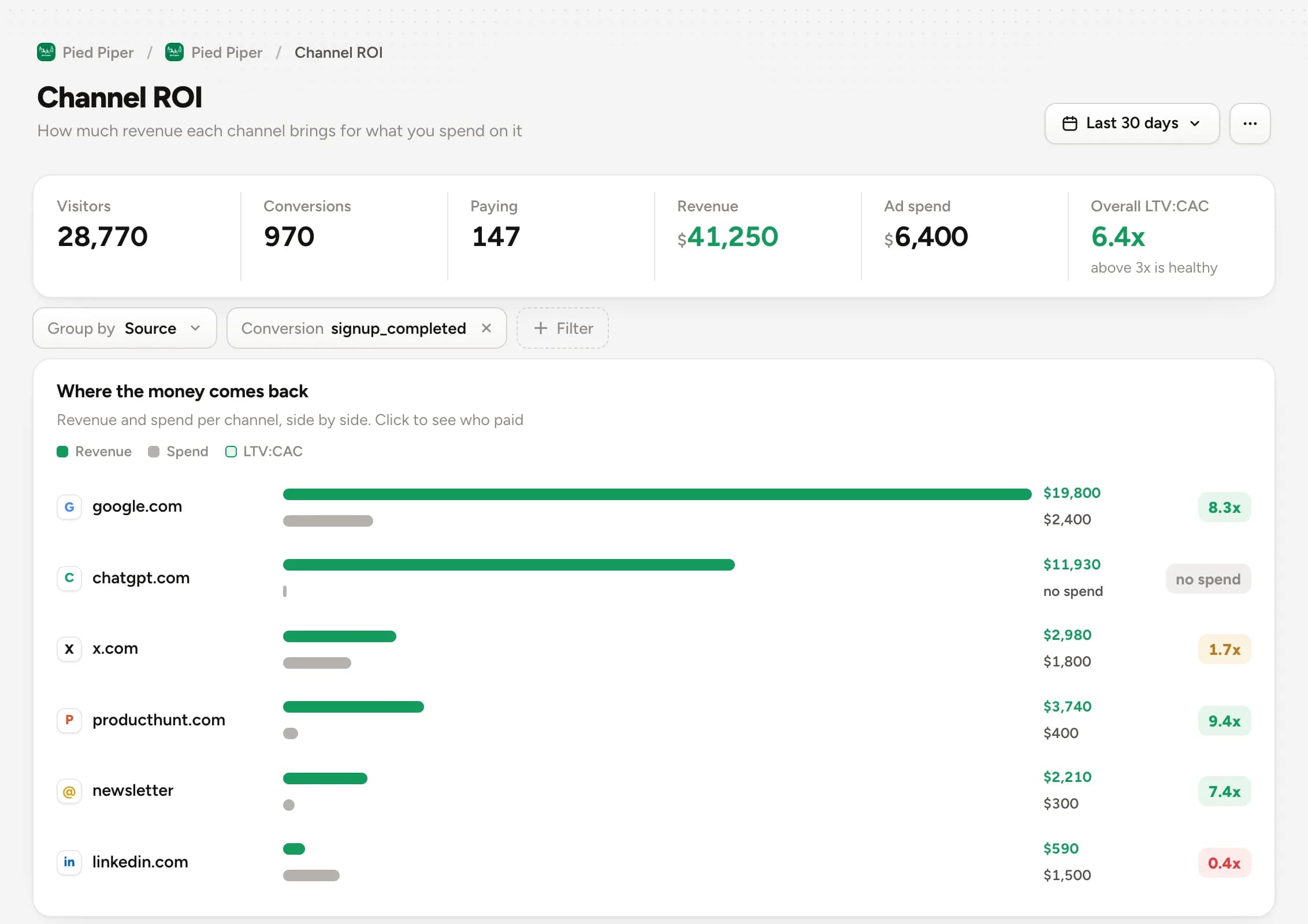
How much each channel returns in revenue.
Put each campaign's spend next to the revenue it brought in. CAC, LTV and return by source, no Sunday spreadsheet.
- Revenue and spend side by side
- CAC and LTV by source
- UTM for every campaign
Who joined, who pays, who's leaving.
Every customer with plan, amount and the whole journey before paying. Whoever cancelled stays in the history, and MRR tells the truth.
- Plan and amount per person
- Trial, paying and cancelled
- Journey before payment
Questions about revenue
Can't find it? Talk to us in the chat.
Which payment platforms work?
Stripe and RevenueCat from the integrations screen. For everything else, there's the revenue API.
Can the key change anything in my account?
No. In Stripe you create a restricted read-only key. Himetrica only reads customers, subscriptions and charges.
I charge in more than one currency. How does that work?
Each charge is converted to the project's display currency, so MRR adds everything up in a single currency.
How does a charge find the visitor?
Through the email. When the person signs in to your app and you call identify, the payment lands on their profile.
Better together.
Paste the key.See who pays.
Try everything free for 30 days. Cancel anytime.
Start free