Every visitor, the whole story.
Each person's profile with every session, the pages in order, where they came from and how much they paid. When they sign in to your app, the anonymous visitor gets a name and an email.
- Day by dayactivity on a heatmap
- 0 to 100experience score per person
- With a nameonce you call identify
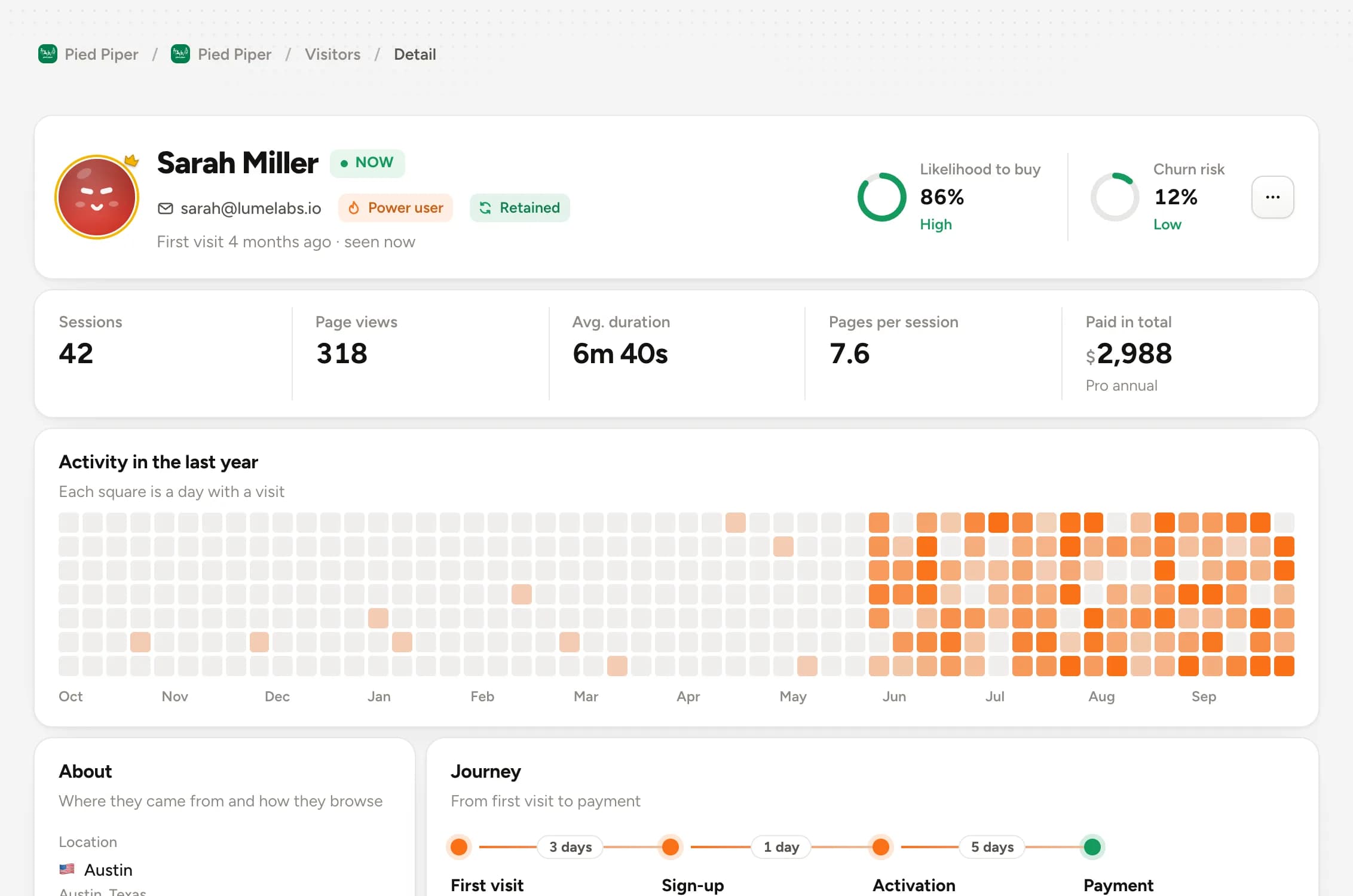
The anonymous visitor gets a name at login
Call identify with the email. Everything the person did before signing in stays on their profile.
Ready in three steps.
- 1
The script assigns an ID
Every visit gets an anonymous visitor, with sessions kept apart.
- 2
Login adds a name
Call identify with the email and the anonymous history comes along.
- 3
Open the profile
Sessions, pages, events and payments on one timeline.
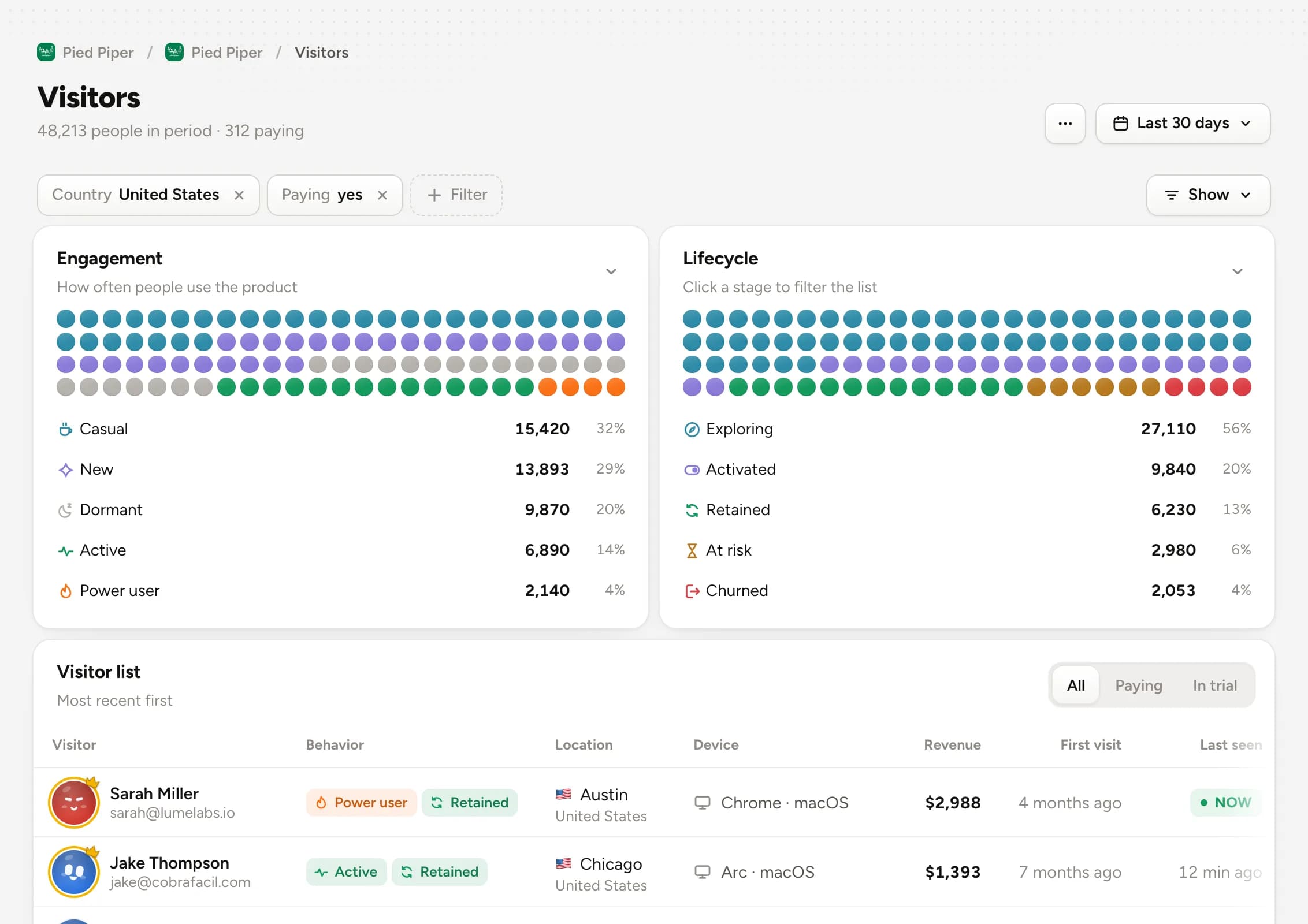
Filter down to who matters.
Country, source, page, event, paying. Combine filters and see only the people you want a closer look at, with revenue right beside them.
- Combinable filters
- Identified only
- Revenue column
Open any session, page by page.
Every session with time, source, duration and the pages in the order the person opened them. Entry and exit marked.
- Entry and exit page
- Duration of each visit
- Source of each session
- /came from Google2:02 PM
- /pricing1m 40s2:03 PM
- /docs/install3m 12s2:05 PM
- /checkout2m 50s2:08 PM
- /checkoutleft without paying2:10 PM
Questions about visitors
Can't find it? Talk to us in the chat.
How is a visitor identified?
They stay identified in the browser and each session is kept separate. To follow the same person across subdomains, turn on the cookie domain in settings.
What happens when the person signs in?
Call identify with the email or your app's user id. The anonymous history merges into their profile.
What goes into the experience score?
Load time, errors the person ran into and session depth, in a single score from 0 to 100.
Better together.
Meet the peoplevisiting your product.
Try everything free for 30 days. Cancel anytime.
Start free